5. Setup — SaaS (managed)
In SaaS mode the vendor hosts the application and each customer tenant connects with one‑click admin consent against the central vendor app registration. There is no per‑tenant app or certificate to create.
First run
- Sign in as the tenant’s initial admin (created during provisioning).
- The Setup Wizard opens automatically.
- Operation mode — choose Hybrid or Cloud‑Only.
- Directory access — click Grant admin consent. You are redirected to Microsoft, approve the requested permissions, and return to the app.
- On success the app automatically switches to live, detects your tenant’s primary Exchange organization, and auto‑detects Cloud Sync.
- Single sign‑on — optional Entra SSO for your users.
- Exchange Online — assign the Exchange Administrator role once, let the app create the scoped send policy, then downgrade to Exchange Recipient Administrator.
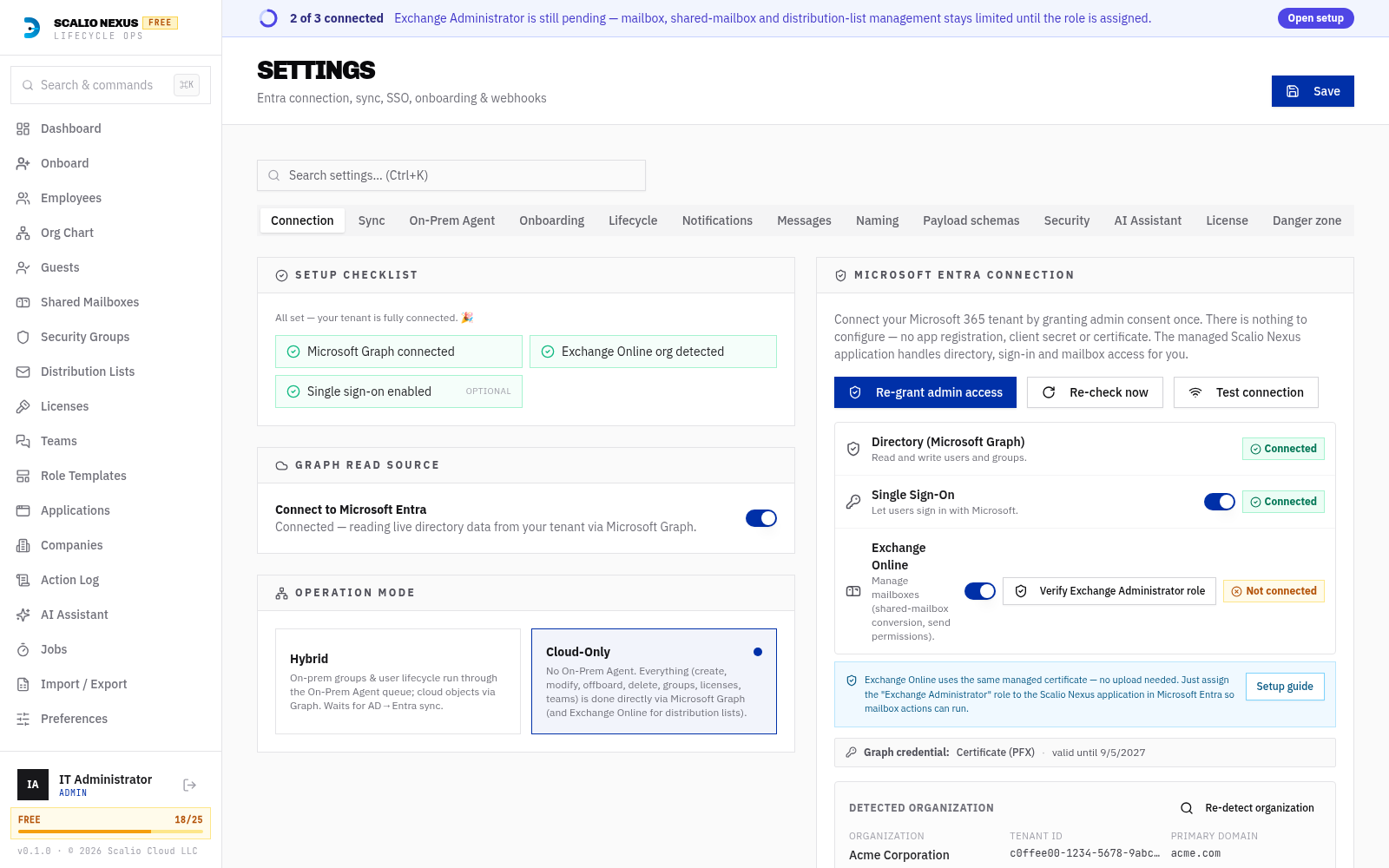
Re‑checking consent
If consent is later revoked or a permission is added, use Settings → Microsoft 365 → Re‑check. A successful re‑check re‑confirms live mode and re‑runs Cloud Sync detection.
Notes for SaaS
- The Microsoft 365 settings area is a single lean card — there is no Assistant/Manual toggle (that is Self‑Hosted only).
- Graph runs on the central vendor certificate; you never upload a certificate.
- SSO can be enabled or disabled at any time from Settings → Microsoft 365.