Partner Access Governance & JIT PAM (add-on)¶
Applies to: Both (Self-Hosted & SaaS) · License: requires the Partner Access Governance & JIT
PAM add-on (feature flag pam) · Permission: pam.view
Partner Access Governance turns risky, standing third-party access into just-in-time (JIT), time-boxed, fully audited access. Instead of leaving vendor or contractor accounts permanently enabled, Scalio Nexus keeps those accounts dormant and only activates them for a specific, approved window — automatically rotating the credential to a random, unrecorded value the moment the window ends.
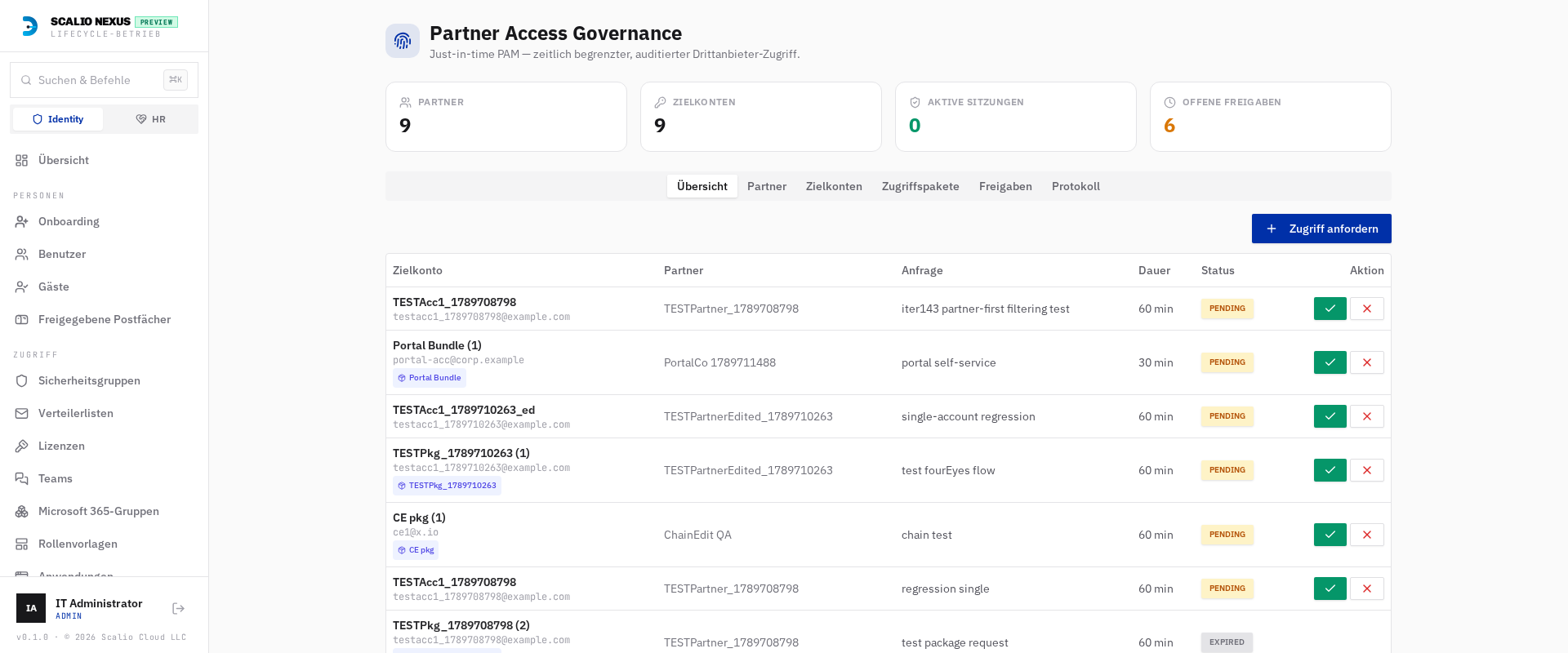
Where to find it
- Console: the Partner Access item (section Access) in the left navigation (visible only when the add-on is
licensed and you hold
pam.view). - Settings → Partner Access: the engine configuration area.
- Partner portal: the public self-service page at
/pam/portal(for external partners).
Editions (Starter / Pro / Enterprise)¶
Partner Access is licensed in three editions. All unlock the module (features.pam); the licence key
selects a tier that sets the managed-partner-org limit and the available capabilities. The active
edition is shown as a badge on the module header, and the highest tier wins when several PAM keys are
present.
| Capability | Starter (≤3 partners) | Pro (≤10) | Enterprise (∞) |
|---|---|---|---|
| JIT request & approval workflow | ✅ | ✅ | ✅ |
| Ephemeral AD & Entra password rotation | ✅ | ✅ | ✅ |
| One-time secret link with MFA (TOTP/passkey) | ✅ | ✅ | ✅ |
| JIT security-group memberships | ✅ | ✅ | ✅ |
| Automated session expiration | ✅ | ✅ | ✅ |
| Full event audit log | ✅ | ✅ | ✅ |
| Four-eyes dual approval chains | — | ✅ | ✅ |
| Real-time SIEM & Syslog export (Sentinel/Splunk) | — | ✅ | ✅ |
| Clientless Web-RDP/SSH session gateway | — | 🚧 planned | 🚧 planned |
| Session screen recording & MP4 playback | — | 🚧 planned | 🚧 planned |
| Outbound hybrid edge connector node (1×) | — | 🚧 planned | 🚧 planned |
| Multi-node edge connectors (multi-DMZ/sites) | — | — | 🚧 planned |
| Bring-your-own-storage (S3/Azure Blob) for recordings | — | — | 🚧 planned |
| Break-glass with change-ticket sync (Jira/ServiceNow) | — | — | 🚧 planned |
| Custom retention policies | — | — | 🚧 planned |
🚧 planned = not implemented yet
Items marked planned are part of the edition's licensing/roadmap and appear in the licence's capability list, but have no runtime effect yet. What is enforced today: the partner-org limit (3 / 10 / unlimited), and four-eyes approval + SIEM/Syslog export gated to Pro and Enterprise (on Starter the four-eyes option is hidden and SIEM export is disabled). Break-glass access itself works on all tiers — only the change-ticket sync is planned.
1. How it works — the model¶
Access is described by three layered objects:
| Object | What it is |
|---|---|
| Partner | The external company (vendor, MSP, contractor). Carries a contract end date, a default approver pool, a default approval chain, and the portal contacts allow-list. |
| Target account | A directory account the partner uses — either an Entra ID user or an on-prem AD DS user. Carries a tier/role, the JIT groups to grant during a session, and (optionally) its own approver chain. |
| Access package | An optional bundle of several target accounts granted together in one request, with a default duration and an optional chain override. |
An access request targets exactly one of: a single target account or an access package (which fans out to all its accounts).
The lifecycle¶
- Request — an operator (or the partner via the portal) requests access to an account/package, with a reason, an optional change-ticket reference, and a duration.
- Approve — the request routes into the resolved approver chain (see §4). Requests inside a configured maintenance window with a matching change ticket are auto-approved.
- Activate — at the scheduled start the engine resets the account password to a fresh high-entropy value, enables the account, and adds the JIT groups. It mints one one-time secret bundle and e-mails the recipient a single retrieval link (never the password itself).
- Retrieve — the recipient opens the link, passes an MFA challenge (authenticator TOTP or a passkey), and reveals the credential(s) once. The link is single-use and TTL-limited.
- Check-in / expiry — when the user checks in early, or the window expires, the engine rotates the password to a random unrecorded value, disables the account, strips the JIT groups, revokes sign-in sessions, and burns any unretrieved secret.
Every transition is written to an immutable event ledger and (optionally) streamed to your SIEM.
2. Execution model — cloud & on-prem¶
Scalio Nexus provisions the same lifecycle across both planes:
- Entra ID accounts are provisioned live via Microsoft Graph (reset password → enable → add group members → on expiry rotate → disable → remove group members → revoke sessions). In demo/preview tenants without live Graph credentials the steps are simulated.
- On-prem AD DS accounts are queued to the self-hosted agent as an ordered sequence of the agent's
existing verbs —
resetPassword→enableUser→addGroupMember …on activation, andresetPassword(random, unrecorded) →disableUser→removeGroupMember …on deactivation. No PAM-specific PowerShell handler is needed on the agent; the on-prem reset+disable forces re-authentication.
The request records the agent job IDs it enqueued, and the agent result hook closes the phase once the terminal job reports back.
3. Settings → Partner Access¶
All engine configuration lives in the Partner Access area of core Settings (group Security):
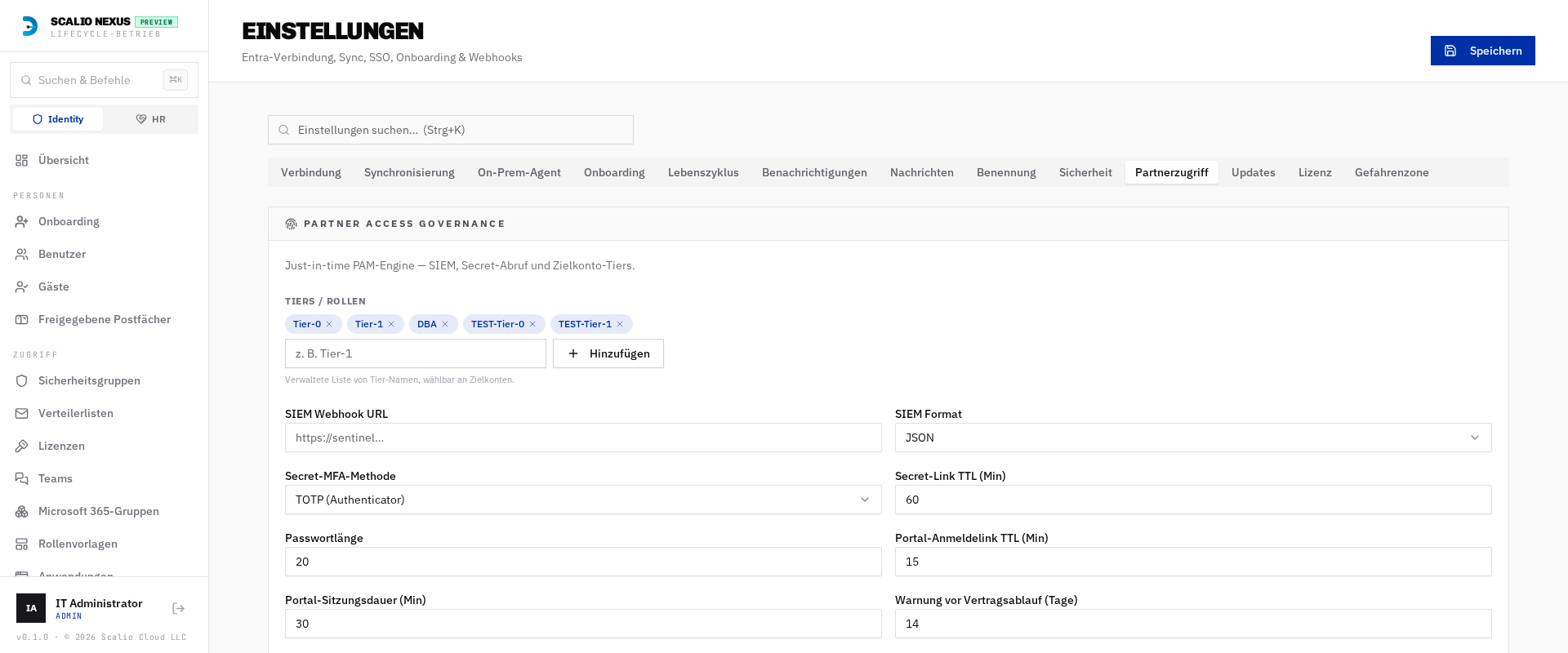
| Setting | Purpose |
|---|---|
| SIEM webhook URL | Where the event ledger is streamed. |
| SIEM format | JSON or CEF (ArcSight/Sentinel/Splunk-friendly). |
| Secret MFA method | TOTP (authenticator app) or Passkey / WebAuthn for the credential-retrieval step. |
| Secret link TTL (min) | How long a retrieval link stays valid before it burns. |
| Password length | Length of the generated high-entropy JIT password. |
| Auto-approval change-ticket pattern (regex) | Requests whose ticket matches and fall inside a maintenance window are auto-approved. |
| Maintenance windows (JSON) | [{days:[0..6], start:"HH:MM", end:"HH:MM"}] (UTC) — the auto-approval time windows. |
| Break-glass alert recipients | Comma-separated addresses notified on emergency access. |
| Tiers / roles | The managed list of tier names selectable on each target account. |
| Portal magic-link TTL / session minutes | Lifetime of a partner-portal sign-in link and session. |
| Contract-expiry warning (days) | How many days before a partner's contract end the dashboard banner starts warning (default 14). |
| One-click approval link TTL (hours) | Validity of the personal approve/deny link sent to approvers by email (default 72). |
| Run worker now | Fires the rotation worker sweep on demand (activate due, expire due). |
Encryption key
Ephemeral credentials and TOTP secrets are encrypted at rest with PAM_ENCRYPTION_KEY (a Fernet
key in the backend environment). Without it, activation cannot mint a secret. Keep it stable and secret.
4. Approver chains¶
Three chain types are supported; the effective chain for a request is resolved by precedence:
account override → access package → partner default → global default
| Chain | Behaviour |
|---|---|
| Single | One approver from the pool approves. |
| Sequential | Every approver in the pool must approve in order. |
| Four-eyes (2) | Any two distinct approvers must approve. |
Approvers are picked from the approver pool, which is populated from existing console users via
autocomplete (/api/pam/approver-suggestions) and also accepts free-text e-mail addresses. A given
approver can approve a request only once, and denials close the request immediately.
One-click approval from email & Teams¶
When a request enters an approver chain, each approver receives a personal email with Approve and Deny buttons, and a summary is posted to the configured Teams channel (with a "Review in the console" deep link). The email button opens a short confirmation page whose link is:
- bound to that one approver and that one request,
- single-use (burned after a decision), and
- time-limited (the One-click approval link TTL, default 72 h).
This lets approvers decide straight from their inbox without signing in to the console. Because the Teams channel is a shared webhook, its message carries the console deep link rather than a personal one-click token — secure one-click stays email-only. Four-eyes and sequential chains simply issue one personal link per approver and enforce the same ordering/quorum rules as the in-console flow.
5. Managing partners, accounts & packages¶
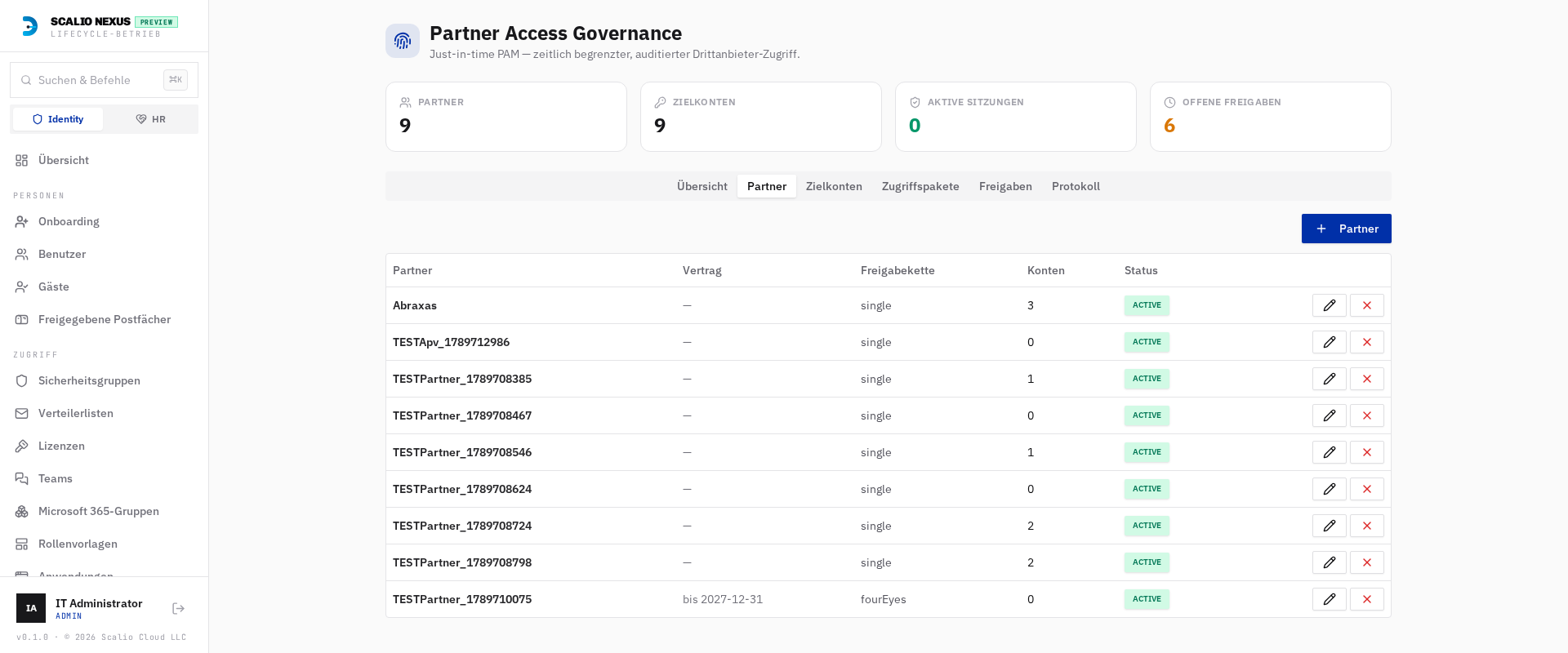
- Partners — add/edit/delete from the Partners tab. Set the company name, contract end date, the approver pool (multi-select tag picker), the default approval chain, and the portal contacts (external e-mails allowed to use the self-service portal). A partner can't be deleted while it still has target accounts.
- Target accounts — map from the Target accounts tab. Pick the partner, the type (Entra ID or On-Prem AD DS), then mark an existing directory user as the partner account (single-select picker; the on-prem picker is filtered to hybrid, on-prem-synced users and auto-fills the sAMAccountName/UPN). Choose a tier and the JIT groups to grant during a session (cloud security groups for Entra, on-prem security groups for AD DS). An account can't be deleted while it's in an active session.
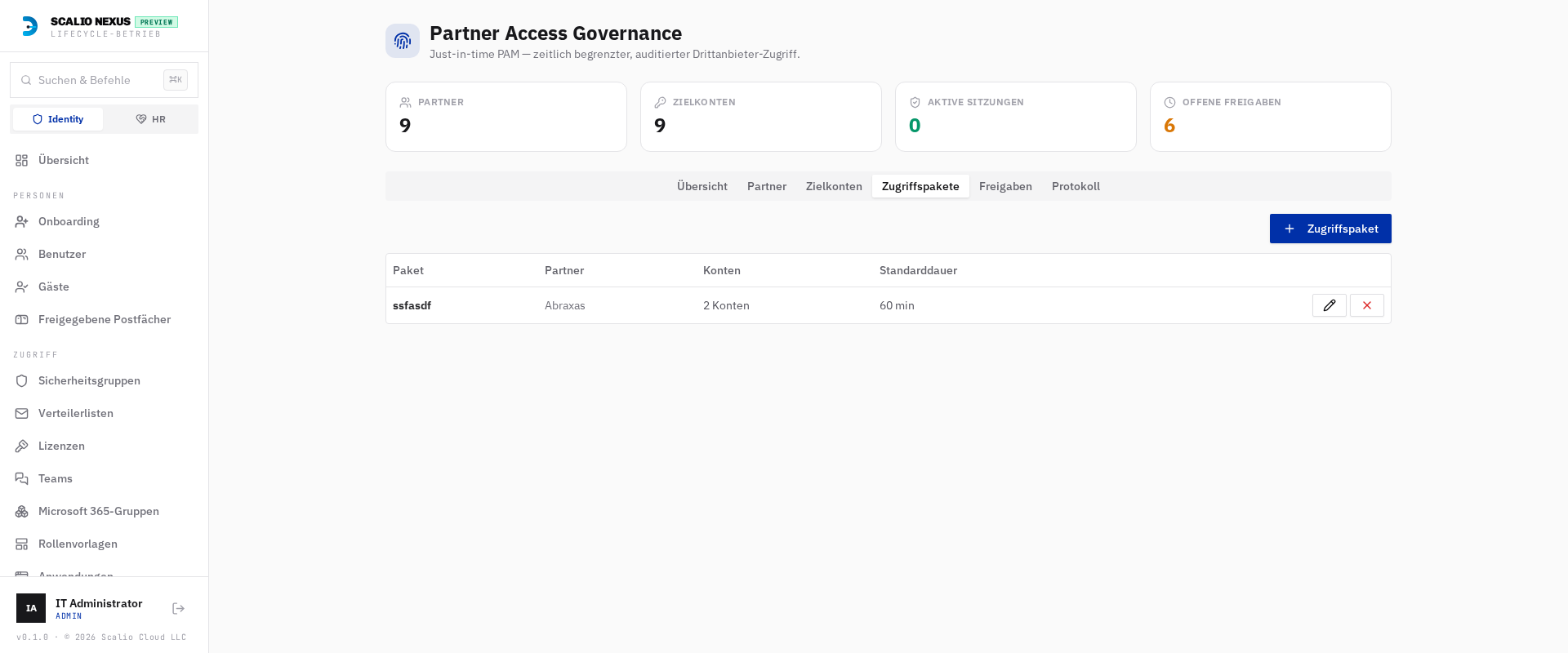
- Access packages — from the Access packages tab, bundle several of a partner's accounts under one name, with a default duration and an optional approver-chain override.
Accounts mapped to PAM also show an "Assigned to PAM" badge in the core Users list.
6. Credential retrieval (one-time secret portal)¶
Activation e-mails a link of the form …/pam/secret/{token}. That page:
- reveals the credential(s) once (single use), then burns the secret;
- honours the secret link TTL;
- requires an MFA step — either a TOTP code from an enrolled authenticator, or a passkey ceremony (register-then-assert via WebAuthn), per the configured MFA method;
- for an access package, lists every account's credential with per-account copy buttons (one link, one MFA challenge unlocks the whole bundle).
The password itself is never sent by e-mail — only the retrieval link is.
7. Partner Request Portal (/pam/portal)¶
A public, partner-facing page lets external partners raise their own JIT requests instead of relying on an operator:
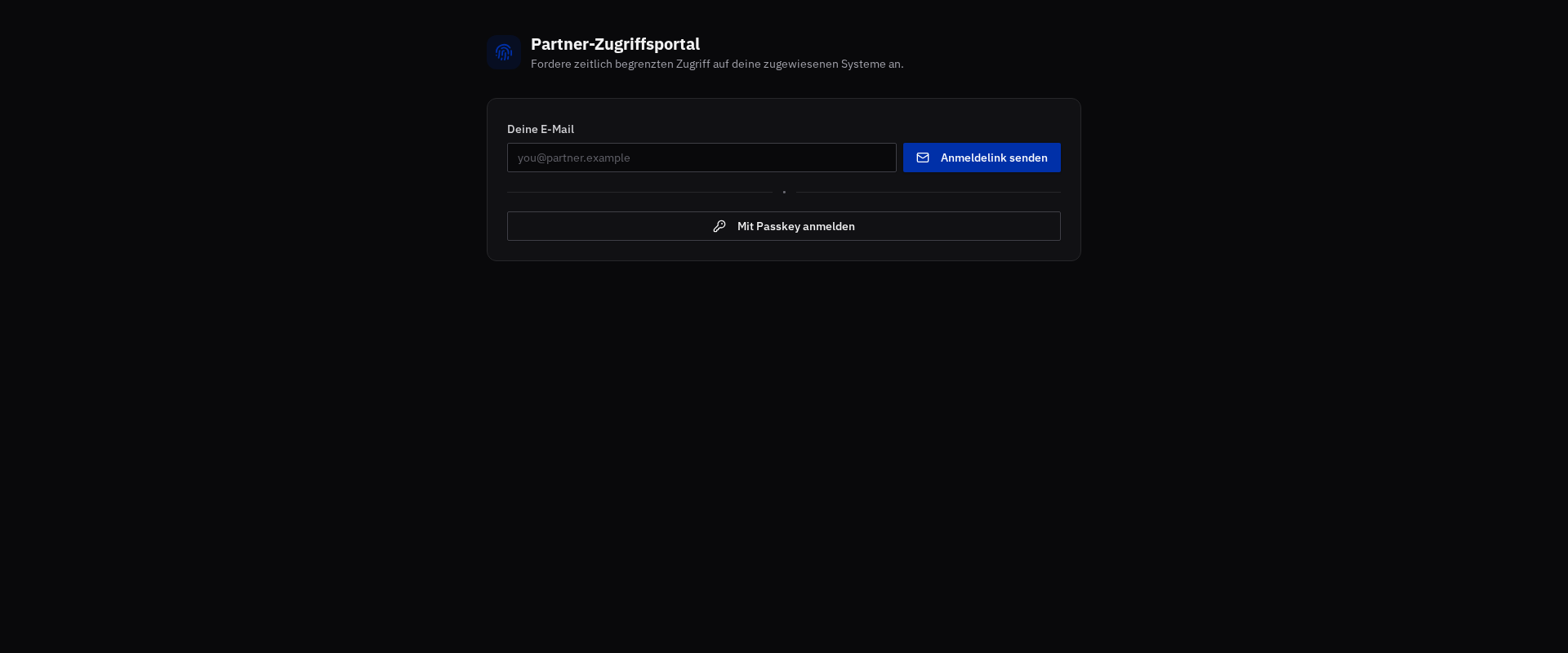
- Sign-in by e-mail magic-link or passkey. Only addresses on the partner's portal contacts allow-list receive a link; the response is always a generic "if authorized…" message (no account enumeration) and is rate-limited.
- The magic link is single-use and TTL-limited; verifying it mints a portal session JWT scoped to that partner. Portal sessions cannot reach console routes, and console tokens cannot reach portal routes.
- After signing in, partners can enrol a passkey for next time, see the access packages assigned to
them, submit a request (routed into the normal approver chain, tagged
source=partner-portal, with the contract-end date enforced), and view their own request history with live retrieval links.
The portal uses the same notification sender configured in core Settings for its e-mails.
8. Audit, events & SIEM¶
Every action appends an immutable event to the PAM event ledger (pam_events) — AccessRequested,
Approved, Denied, AutoApproved, BreakGlass, Activated, PasswordRetrieved, Revoked,
AutoRotated, Expired, Error, and more. Events are visible on the module's Log tab and, when a SIEM
webhook is configured, are fanned out in JSON or CEF in real time.
- Access-package visibility: when a request targets an access package, the package name is shown on the request/approval rows and on every matching ledger entry, so a bundle is easy to trace end-to-end.
- Contract-expiry banner: the main console Dashboard shows a banner listing partners whose contract
has expired or ends within the configured warning window (default 14 days), with a jump to the Partners
tab. It appears only when the add-on is licensed and you hold
pam.view.
9. API reference (selected)¶
All routes are under /api/pam and require the add-on licence plus pam.view (portal routes are public):
- Config:
GET/PUT /pam/config,POST /pam/sweep,GET /pam/summary,GET /pam/events,GET /pam/contract-alerts - Partners:
GET/POST /pam/partners,PUT/DELETE /pam/partners/{id} - Accounts:
GET/POST /pam/accounts,PUT/DELETE /pam/accounts/{id},GET /pam/directory-users,GET /pam/groups,GET /pam/approver-suggestions - Packages:
GET/POST /pam/packages,PUT/DELETE /pam/packages/{id} - Requests:
GET/POST /pam/requests,GET /pam/requests/{id},POST /pam/requests/{id}/approve,POST /pam/requests/{id}/checkin - One-click approval (public):
GET /pam/approval/{token}(link details),POST /pam/approval/{token}(approve/deny) - Secret retrieval:
GET /pam/secret/{token},POST /pam/secret/{token}/reveal,POST /pam/secret/{token}/webauthn/* - Partner portal (public):
POST /pam/portal/request-link,POST /pam/portal/verify-link,GET /pam/portal/me,GET /pam/portal/packages,GET/POST /pam/portal/requests,POST /pam/portal/webauthn/*
See the user guide chapter for the day-to-day request/approve/retrieve flow.