8. Cloud Sync (hybrid)
For hybrid tenants (on‑prem AD synchronised to Entra with Entra Cloud Sync), Scalio Nexus can trigger on‑demand provisioning so newly created/changed users appear in the cloud quickly.
Auto‑managed (Assistant + SaaS)
In the Assistant view (Self‑Hosted) and in SaaS, Cloud Sync is auto‑managed — there is no manual enable/disable toggle:
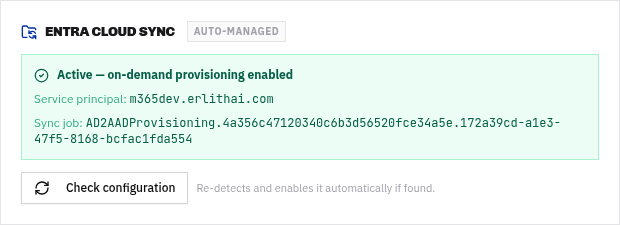
- On load (once Graph is live) the app auto‑detects the tenant’s Entra Cloud Sync provisioning app and, if found, activates on‑demand provisioning automatically.
- If no hybrid Cloud Sync exists (a cloud‑only tenant), the card shows a neutral “Cloud‑only — nothing to configure”.
- Check configuration re‑probes on demand and enables it if found.
- It also re‑checks automatically the moment admin consent completes (the consent/re‑check flows fire a refresh), so hybrid tenants light up instantly.
Sync health chip
After each on‑demand provisioning run, the card shows a Last provisioning: success/failed · <time> chip.
On‑demand retry & verify window
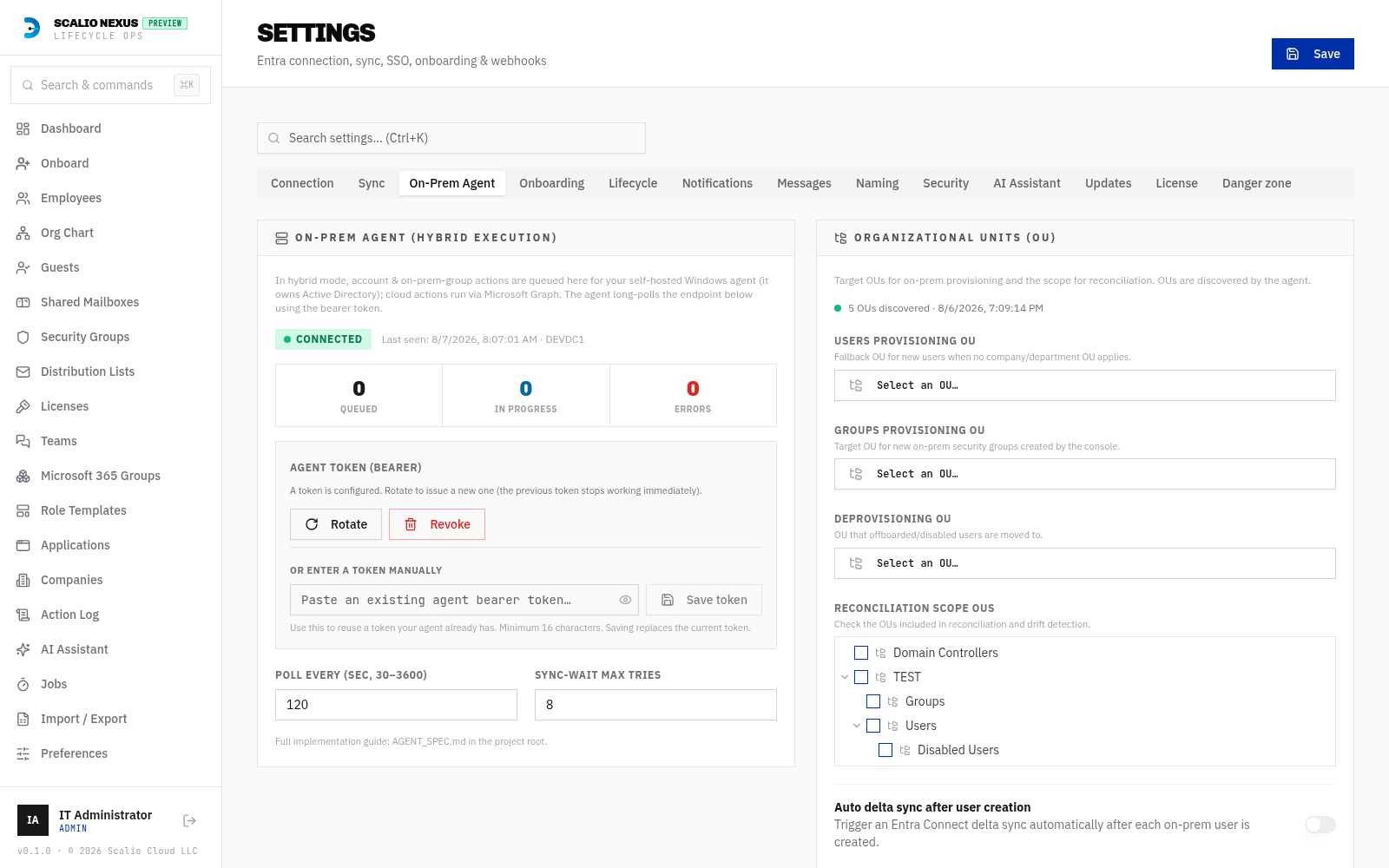
Onboarding on a hybrid tenant waits for the new user to appear in the cloud (via Cloud Sync) before continuing. Because Cloud Sync can lag, this wait is configurable and resilient:
-
Verify attempts and an exponential back‑off (base/cap seconds) space out the checks over a realistic window so a burst of retries can't exhaust it in seconds and fail an onboard that would have synced given a little more real time. These live under Settings → On‑Prem Agent (hybrid).
-
If an onboarding still errors at the “wait for cloud sync” step, open Activity log → Jobs, find the workflow, and click Retry Cloud Sync — it re‑kicks provisioning and resumes from the wait/verify gate (it never re‑runs account‑state gates).
OU discovery de‑duplication
On hybrid tenants the on‑prem OU picker de‑duplicates discovered Organizational Units by their distinguished name, so the tree never shows repeated entries even if the agent enumerates overlapping scopes or retries a chunk.
Manual mode (Self‑Hosted)
The Manual connection view keeps the full Cloud Sync card with an explicit enable toggle and a Detect button for power users, and shows the detected provisioning app, sync job and rule.
What the card shows
| Item | Meaning |
|---|---|
| Provisioning app | The Entra Cloud Sync application detected in your tenant. |
| Sync job | The synchronisation job that pushes on‑prem changes to the cloud. |
| Status | Whether on‑demand provisioning is active. |
| Last provisioning | Result and time of the most recent run. |